
Payment reminders
The problem with manual payment reminders
You issue a lot of invoices, and you spend time manually sending reminders? Every day you open Excel with a list of clients, log into your bank, check who has actually paid you, and then manually write a reminder to everyone who's behind? You feel like emails don't work - clients either ignore them, or only check their inbox once a week - so you've switched to SMS reminders... But all of it eats up precious hours of your time, and you keep coming back to it in your head, getting distracted?
That's a serious problem. Your time is valuable - you want to focus on your actual work, or on your free time and family. That's why you should use a tool that lets you reclaim the time you're losing.
How do you solve the payment reminder problem?
There are various tools out there, you have plenty of options - but if payment management is your main pain point, I recommend Odoo. Why?
- You'll set up reminders defined by you, e.g.
-
- 5 days before the due date - email
- 1 day before the due date - SMS
- 3 days after the due date - SMS
- You'll connect your bank account - and reconcile paid invoices based on transactions
- If all you need is invoice management - you get it for free (the reminders themselves - SMS is paid, more on that shortly)
How do you set up payment reminders?
All you need is the invoicing module installed, and to configure the options under Configuration -> Payment Follow-up Levels. The configuration list looks like this:
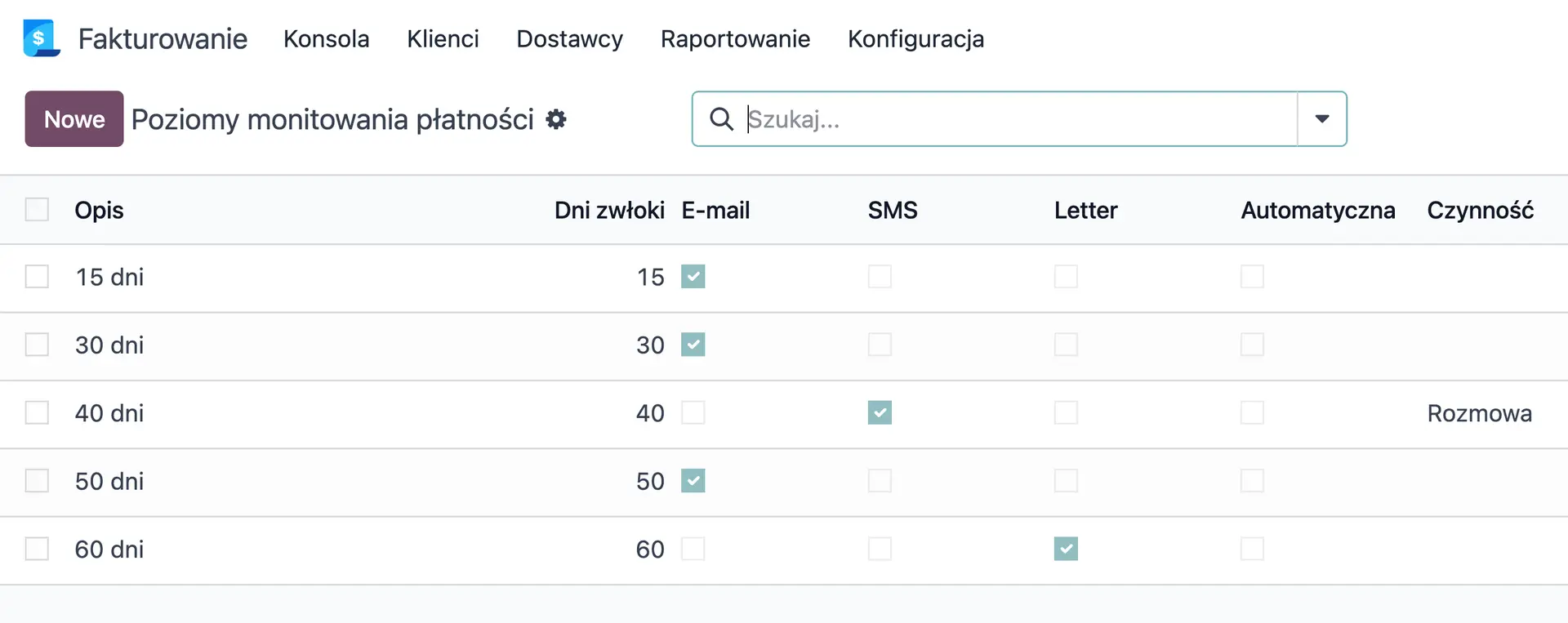
List of payment follow-up levels in Odoo.
This is the list of payment follow-up levels defined in the demo version. We can set up a reminder using:
- SMS
- Letter
- Create an activity in Odoo
- WhatsApp (not visible - requires installing the appropriate module)
The "Automatic" option controls automatic reminders. If you enable it, the system checks once a day (the frequency is configurable) and sends reminders to companies/contacts that are behind on payment. You'll find sent reminders in the chatter of the contact (person or company) that's overdue. Here's an example:
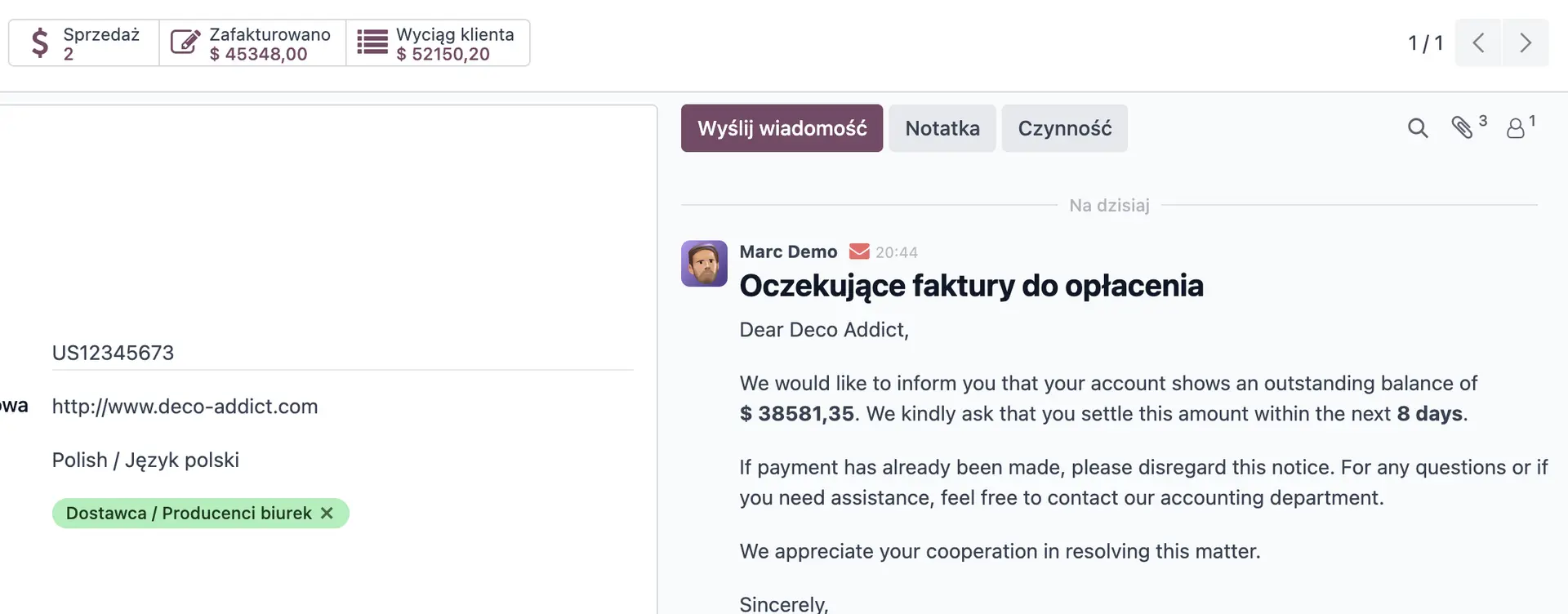
A visible message sent to a contact who was behind on payment (in this case unsuccessful - invalid email address).
List of payments
You'll find the list of issued invoices and their statuses under Invoicing -> Customers -> Invoices. It looks like this:
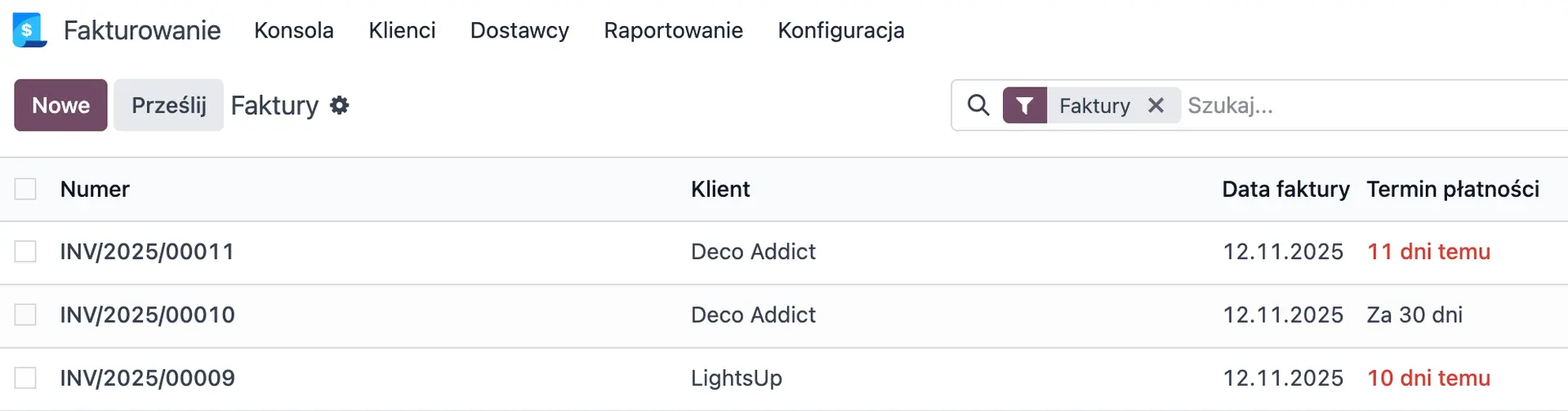
Overview of invoices with payment due dates in Odoo.
From this view you get a quick overview of payment due dates and, more broadly, all of your invoices. You can easily filter and group them.
Cost of reminders
- Email - sending emails is free, though you should keep the limits in mind
- WhatsApp - 7-8 groszy (0.0175 €) per 24-hour conversation window
- SMS - 50 groszy (0.1200 IAP credits = 0.12€)
- Letter - 7.70 PLN (1 stamp - 1.8€)
Just the tip of the iceberg?
If payment reminders are just one of the burning problems in your company, and you'd like to hand the solution over to specialists - book a call with us.